AI GIF Generator
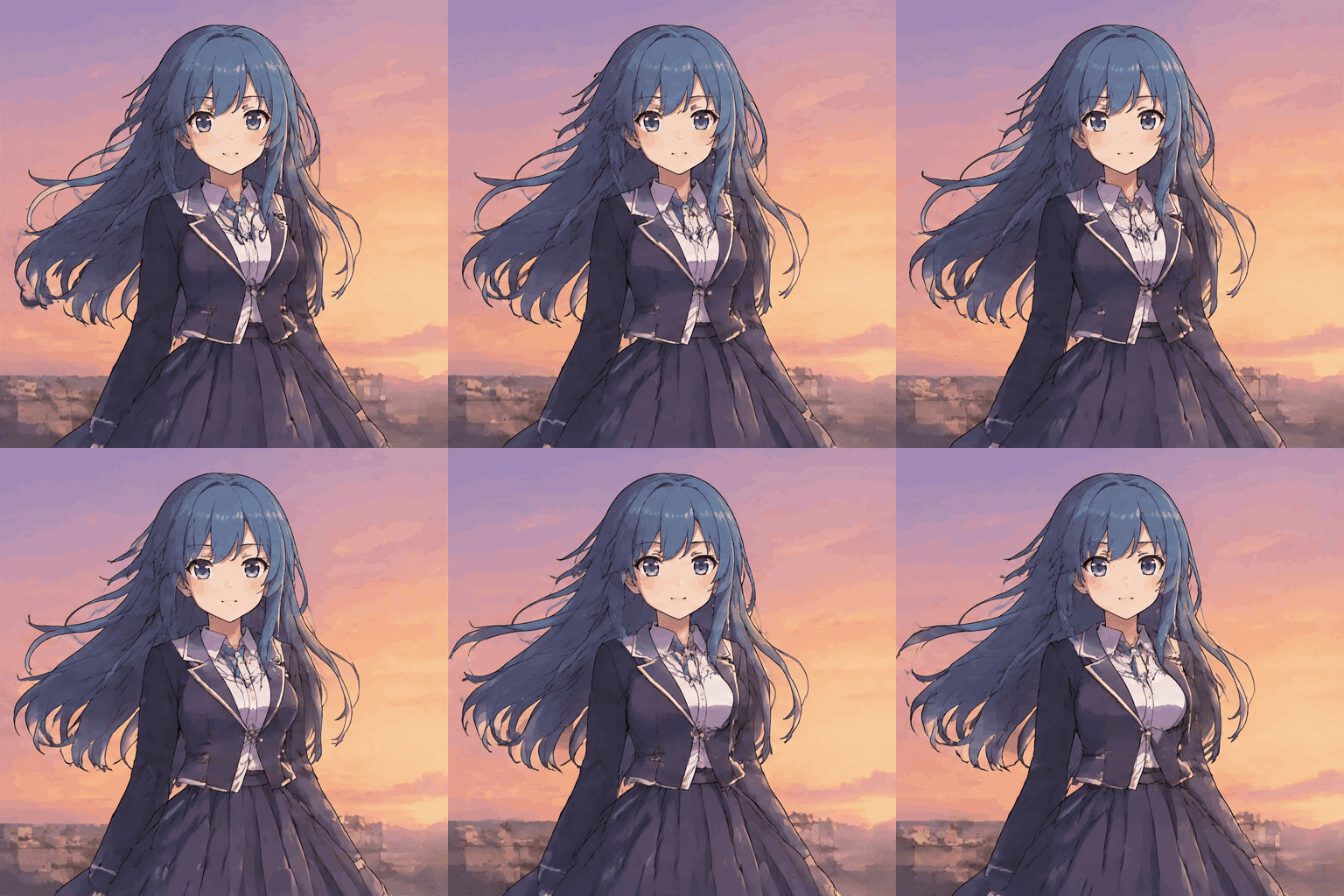
What an AI GIF generator does
An AI GIF generator turns a description into a short sequence of related images. Instead of drawing each frame on a timeline, you describe the subject, action and appearance. The model creates the frames together, and the resulting file can repeat in a compatible viewer.
That process is useful for reaction images, playful illustrations and small visual accents. It is less suitable when every frame must match a production storyboard or an existing brand asset exactly. Generated motion can be surprising, so review the output before using it in a public campaign.
A loop is a playback property, not a promise that its endpoints match perfectly. An action that begins and ends in a similar pose is generally easier to repeat than a character walking across the entire screen. Think of each attempt as a visual draft that you can refine.
Traditional animation gives the creator direct control over individual drawings and their timing. A generative tool instead makes choices within the boundaries of the request. That tradeoff can be valuable for quick exploration, but it makes results less predictable when a brief contains many exact requirements.
Start by choosing the job the animation needs to perform. A reaction in a group chat should communicate an emotion immediately; a decorative loop in a presentation may instead need to remain calm and unobtrusive. The purpose helps determine how much detail and movement the prompt should contain.
Text prompt or photo: which to use
Choose text when you want to invent a subject from scratch. Describe the character or object, its setting and one readable motion. This route gives you flexibility over style, but the generated subject will be an interpretation rather than a copy of a particular person or product.
Choose photo input when the starting appearance matters. Upload one supported image and describe a small change such as a blink, a nod or a ripple. The source anchors the request, although generated details may still change. Use only a photo you have permission to process.
Neither option exposes a timeline editor here. If you must control the exact frame sequence, combine your own frames in a conventional editor instead. For an exploratory reaction or a simple visual idea, a concise instruction can be a faster way to produce a first draft.
A source photo contributes lighting, composition and subject details, but it does not tell the model what motion you have in mind. Add a clear instruction about the visible change. If you want to retain a background, say that it should remain steady while the subject performs the action.
Text input is a useful choice when privacy or originality matters more than matching a real photo. It can describe a fictional mascot, an illustrated object or a scene that has not been photographed. You can also change artistic direction more freely because no existing picture needs to be matched.
Prompt patterns that work
Build a prompt from a subject, a single action, an art direction and a constraint on the camera. The subject should be recognizable even if the animation is shown small. A static camera and a quiet backdrop leave more visual attention for the movement.
The examples below are complete starting points. Replace the animal, object or color with your own idea, but keep the action understandable within a brief cycle. If the result moves too much, reduce the gesture rather than adding several competing instructions.
Use spatial language when it affects the composition: centered subject, close portrait or wide view are more actionable than a general request to make something look good. Describe motion with verbs a viewer can observe. Words such as “blink,” “sway” and “nod” give a clearer target than an abstract emotion alone.
When an output misses the mark, diagnose one dimension at a time. If the illustration looks right but the action is unclear, keep the style and change the verb. If the movement reads well but the subject blends into the scene, revise the contrast or setting. This makes successive experiments easier to compare.
Do not rely on a long negative list as a substitute for a positive instruction. State what should be visible, what should move and what should remain steady. The model can still interpret the request differently, particularly when several instructions conflict or require unseen parts of a photo.
- A small orange cat blinks slowly and flicks one ear, warm watercolor illustration, stationary camera, pale cream background.
- A friendly robot raises one hand in a gentle wave, clean retro cartoon, fixed viewpoint, deep blue backdrop.
- A paper boat rocks softly on a tiny pond, hand-drawn ink and pastel colors, calm horizon, no camera movement.
- A smiling toast character gives a subtle wink, bold pixel art, centered composition, simple yellow background.
- A red umbrella opens slightly and settles back, minimalist cut-paper style, fixed framing, soft gray scene.
- A ceramic coffee cup releases a curling wisp of steam, cozy illustrated style, still table and unmoving camera.
What you get in under 20 seconds
The downloaded animation uses six frames at 896 × 896 pixels, with each frame shown for 300 milliseconds. One playback cycle therefore lasts 1.8 seconds. The output has no visible watermark added by this site.
The heading describes a short finished clip, not a guaranteed generation time. Processing time depends on the service and queue, and may exceed twenty seconds. Watch the job status instead of submitting the same request repeatedly.
This fixed format is convenient when you want a square reaction image without configuring export settings. It is not a long video, and it does not offer audio or a frame editor. Check the result at its intended display size before deciding whether another attempt is worthwhile.
A useful review has three passes. First, look at the overall silhouette and ask whether the action reads immediately. Next, inspect details such as hands, text or edges. Finally, watch several repetitions to judge whether the transition draws attention for the wrong reason.
GIF playback support varies by destination. A platform may create its own preview, alter the resolution or apply its own upload limits. Test the downloaded animation in the actual destination instead of assuming its appearance in one browser predicts every sharing surface.
How this compares with other GIF tools
Different tools begin with different materials. Compare the type of input and editing control you actually need rather than assuming every product creates motion in the same way.
| Tool | Best fit |
|---|---|
| GIPHY | Useful for finding and sharing GIFs in its library and ecosystem. |
| Ezgif | Useful for editing, resizing or assembling existing GIF and image files. |
| Other AI GIF tools | May offer different models, output controls, limits and pricing; check each product. |
| This site | Creates a fixed-format short GIF from a prompt or one photo. |
Frequently asked questions
How detailed should an AI GIF prompt be?
Describe the subject and one action first. Add style and camera instructions only when they help clarify the result.
Can I generate a GIF without uploading an image?
Yes. Leave the photo field empty and provide a text prompt.
Does this generator add an on-screen watermark?
The downloaded GIF has no visible watermark added by this site.
Can I choose a longer animation here?
The current interface uses a fixed short output and does not provide a duration selector.
Why does a looping GIF appear to jump?
The first and last generated frames may differ. A smaller repeated action can make the join less noticeable.